

Sentinel Portal
Every near miss, on the record.
The Sentinel Portal is the safety dashboard for your fleet. Live streams, recorded incident footage, work zones and trend reporting for every Sentinel-equipped machine, in one browser tab.
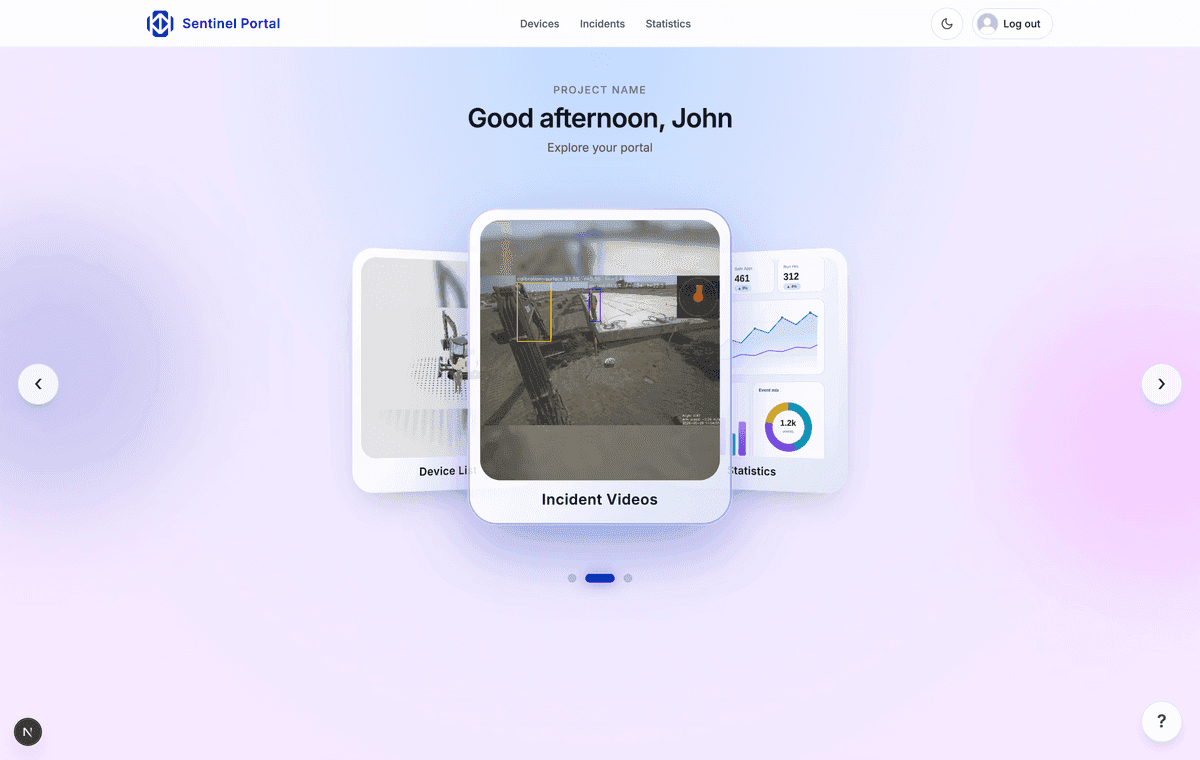

What's inside
Live camera streams
Open any machine's cameras from a browser and see the site as the operator sees it, right now.
Incident footage on demand
Every detection and stop is recorded and uploaded automatically. Find it by machine, project or date and share it with a link.
Fleet map and work zones
See where every device is, draw geofenced work zones, and get alerted when equipment leaves them.
Safety statistics
Near-miss counts, trends by site and by machine, and exportable weekly or monthly reports for clients and insurers.
Device health
Sentinel self-checks continuously and surfaces anything that needs attention, so problems are found before an inspection finds them.
Role-based access
Company, project and user-level scoping means crews see their own site and head office sees everything.
Common questions
- What is the Sentinel Portal?
- The Sentinel Portal is the web dashboard for equipment fitted with Sentinel. It shows live camera streams, recorded incident footage, device health, work zones and fleet-wide safety statistics for every machine on your account.
- How do I log in to the Sentinel Portal?
- Go to https://sentinel.kondordevices.com and sign in with your work email. The Portal uses a one-time code sent to your inbox instead of a password. If you don't have an account yet, your company administrator can create one.
- Do I need the internet for Sentinel to work?
- No. Detection, the in-cab audio alert and the automatic machine stop all run on the device itself, with no internet connection. Internet is required for the Sentinel Portal, which is where the resulting footage and safety data are reviewed afterwards.
- Who can see our footage?
- Only users on your company's account. Access is scoped by company and by project, and administrators control who is added.
See the Portal with your own data.
Book a demo and we'll walk you through a live account end to end.